
A Shared-Tablet Routine for Browser Games Without the Arguments
One tablet, several players, and a lot less friction. A simple routine for families or roommates who share browser games on the same screen.

Start with a short handoff ritual
Shared devices go wrong for predictable reasons. Someone leaves a loud game open, another person picks up mid-round without knowing the controls, and the next ten minutes become a debate about who changed what.
A tiny handoff ritual fixes more of that than people expect. Close the last game fully, set volume before the next launch, and say what kind of session you want. Fast arcade round? Calm puzzle? Ten-minute break or longer stretch?
That sounds almost too obvious, but it keeps the tablet from feeling like contested territory. Once the rules are visible, the screen stops carrying so much invisible tension.
Keep three kinds of games in rotation

The easiest shared setup is not a giant bookmark list. It is a small rotation with clear roles. Keep one fast game for short turns, one calmer puzzle for cooldown sessions, and one slightly longer game for the person who actually has time to settle in.
On Olgjoy, that might mean a quick reflex pick like Jump the ladder, a calmer title like Sliding wood block, and one longer session game such as Brick Out or Golf Garden. The exact titles matter less than the balance.
When every session starts from the same small pool, people spend less time negotiating and more time actually playing.
Preview first, then pass the tablet
This habit matters most with younger players or mixed-skill groups. Open the game, watch the first few seconds, and confirm what the basic input looks like before handing the device over.
It is a simple way to catch surprises. Maybe the game is louder than expected. Maybe the control prompt is tiny. Maybe the first screen is fine, but the actual play loop is much faster than the thumbnail suggested.
A two-minute preview does not make the session formal. It just prevents the kind of confusion that turns a fun handoff into immediate frustration.
Use turn lengths that fit the game
Not every browser game wants the same social rule. Endless runners and timing games usually work best with one-run turns. Puzzle games often work better with soft time windows, where the current player finishes a board or stops after five minutes.
Trouble starts when the turn rule ignores the actual shape of the game. Asking someone to stop in the middle of a careful puzzle feels worse than asking them to hand over after a failed jump run. The game structure should set the handoff point, not pure convenience.
If a group keeps arguing about fairness, that is often a sign the turn rule is wrong for the genre.
Treat ads and popups as part of the routine
On a shared tablet, ad awareness needs to be normal, not dramatic. Say up front that if something opens a store page, a download prompt, or a strange reward screen, the player should stop and ask before tapping again.
That kind of plain talk works better than trying to hide the possibility. Most people, especially kids, handle the rule well once it has been said clearly. They mainly struggle when nobody explained what an ad interruption might look like.
If you want the session to stay relaxed, normalize the pause. Close the surprise screen, reset, and move on without turning it into a lecture every time.
End the session cleanly
A good shared-tablet routine ends with the same clarity it started with. Back out of the current game, mute the device if that is the household default, and leave the next person a clean screen.
This sounds like tiny housekeeping because it is tiny housekeeping. That is exactly why it works. Small resets prevent a lot of unnecessary friction later.
The best shared-device systems are rarely clever. They are just predictable enough that nobody has to spend energy guessing what state the tablet is in before they start playing.
Explore on Olgjoy Games
Ready to play? Browse free HTML5 games or read more guides.
Articles on Olgjoy Games are written by our editorial team for entertainment and general education. They are independent editorial content and are not required to link to a specific game on this site. Illustrations are sourced from licensed stock libraries (e.g. Unsplash, Pexels) as credited in captions. Quiz content is not professional certification.
More to read

Casual Party Picks on Olgjoy Games for Same-Room Play
Notes on ten Olgjoy Games titles that work when two to four people share a screen, with short rounds and turn-based pacing for same-room play.

How to Pick a Browser Game for a Five-Minute Break
A quick checklist for choosing browser games that fit a short break instead of swallowing the whole afternoon.

How to Win food lover Big battle With Friends on Olgjoy Games
Hold the center, dash in short bursts, and stay out of corner pile-ups. A practical guide to the arena-style food battle on olgjoy.com.
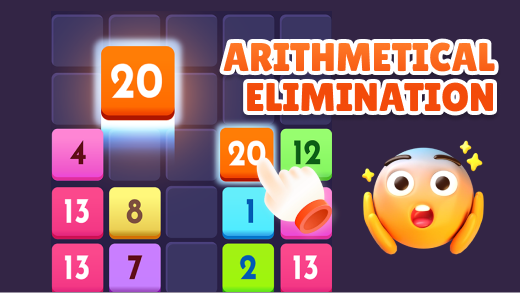
Arithmetic Elimination: Math Tips for Kids (and Patient Adults)
This number-matching puzzle rewards bottom-up clears and saving small digits for hard boards. A short guide for parents who want a calm free math game on Olgjoy.